Your day. Your projects.
One timeline.

urIssue is a task tracker with a memory. Every task carries its own running history of notes, progress, decisions and blockers — right under the task, where you can see it. Plus a calendar that actually works.

The demo runs right in your browser — no account, nothing saved.
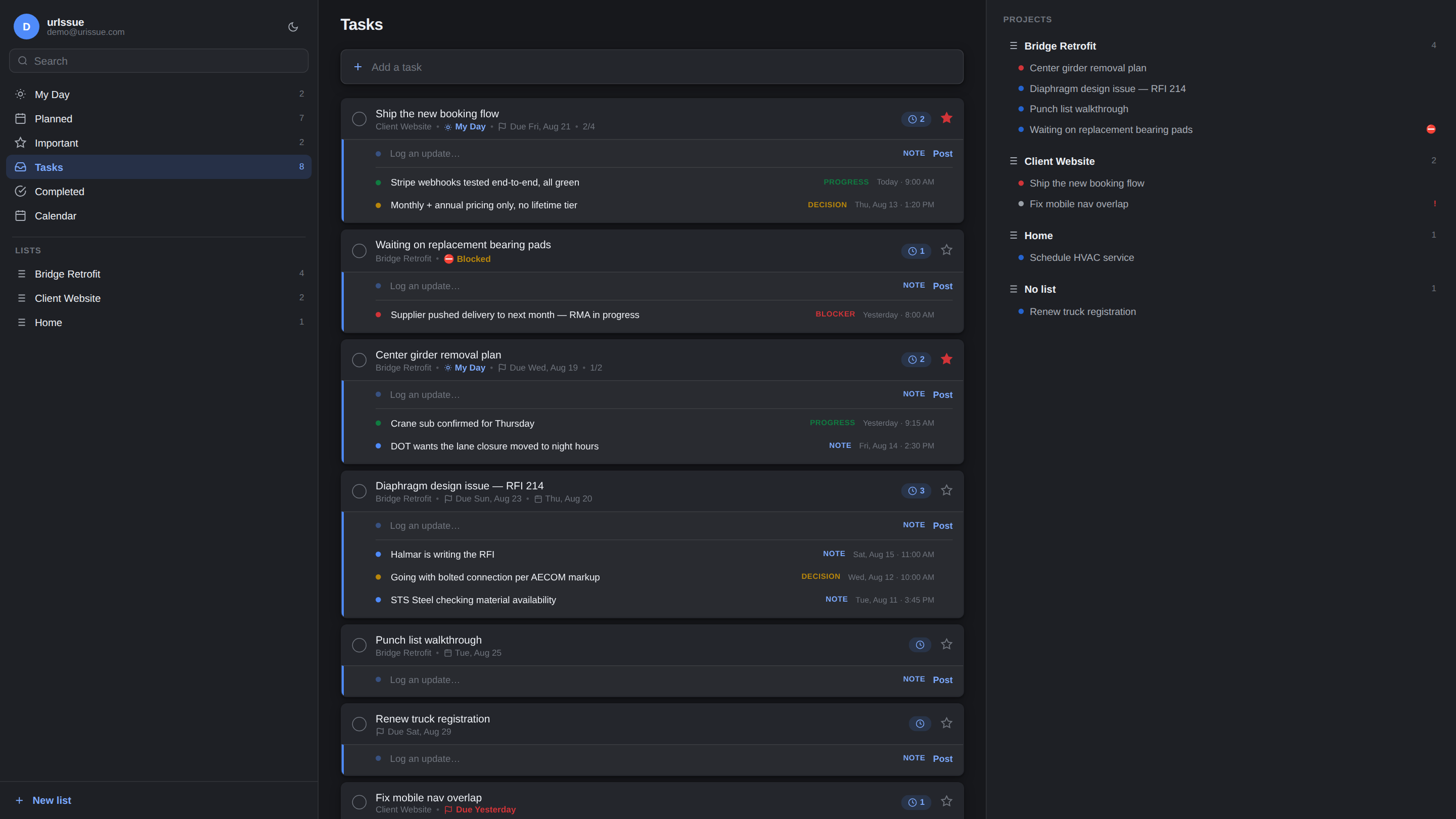
The urIssue dashboard — tasks with their tracking timelines, projects tree, and smart views
That's the real app, not a mockup — click around it yourself →

Built for people who need the full picture.

Whether you're running a construction project, a codebase, or a household — what happened matters as much as what's next.

Tracking, front and center

Every task tells its story.

The history lives right under each task — no clicking into things to find out what's going on.
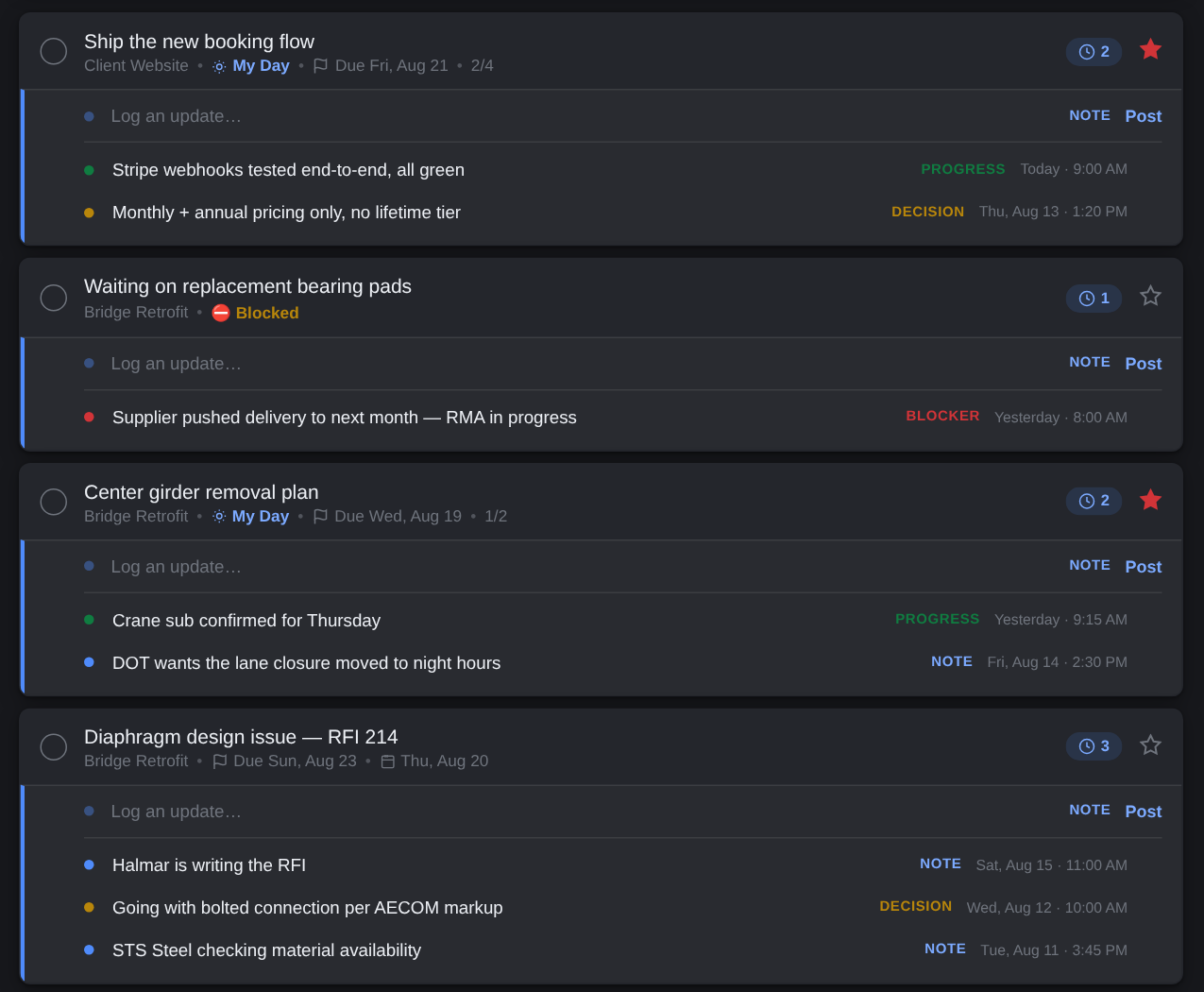
  • Log Notes, Progress, Decisions and Blockers in one keystroke
  • Edit or delete any entry in place
  • A blocker automatically flags the whole task
Tasks with their activity timelines inline
A calendar that works

Plan by dragging.

Tasks land on the calendar on their planned day and their due day. Re-planning is a drag, literally.
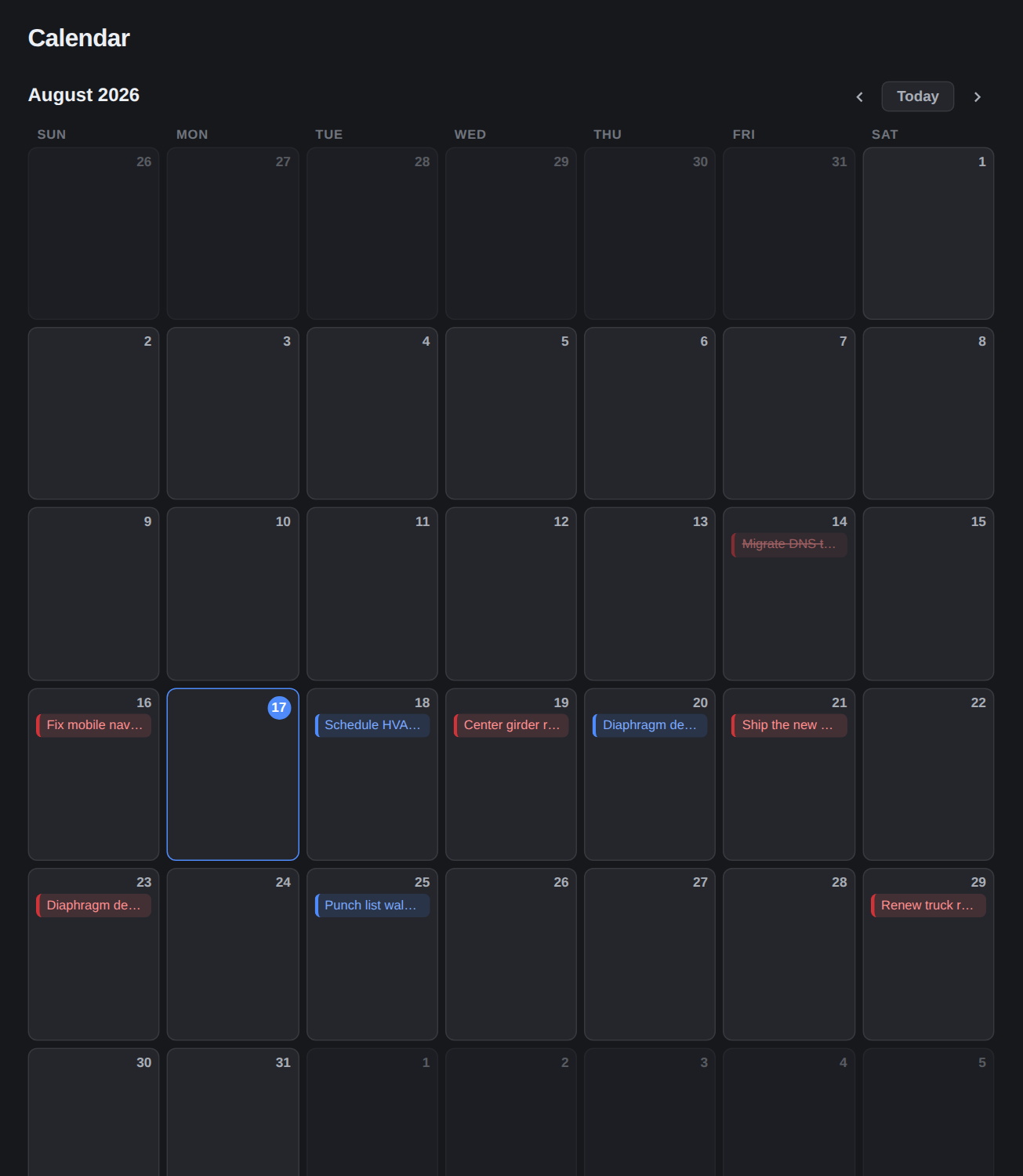
  • Drag a task to another day to re-plan it
  • Click any day to see it — or add straight to it
  • Planned vs. due, color-coded at a glance
Month calendar with draggable task chips
Focus without ceremony

My Day starts fresh. Every day.

Pull in what matters today; at midnight the slate wipes clean. Planned, Important and Overdue views keep the rest sorted for you.
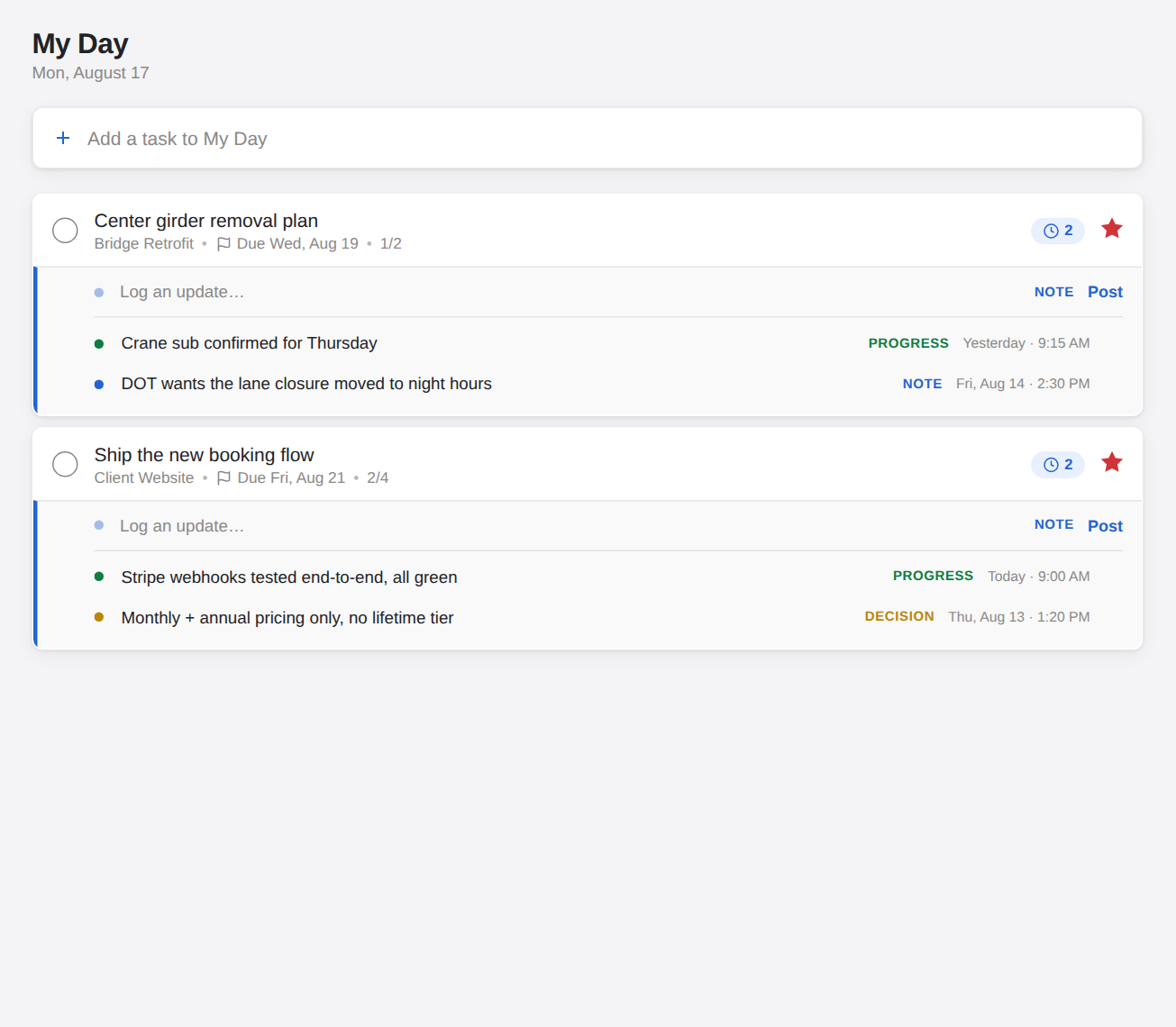
  • My Day resets itself — no cleanup chores
  • Planned groups by Overdue, Today, Tomorrow, This Week
  • Light and dark, resizable panes, works on your phone
My Day view in light theme
Everything in one pane

Steps, dates, files, history.

Open any task for the full picture: checklist steps with progress, due and planned dates, file attachments, notes, and the complete activity log.
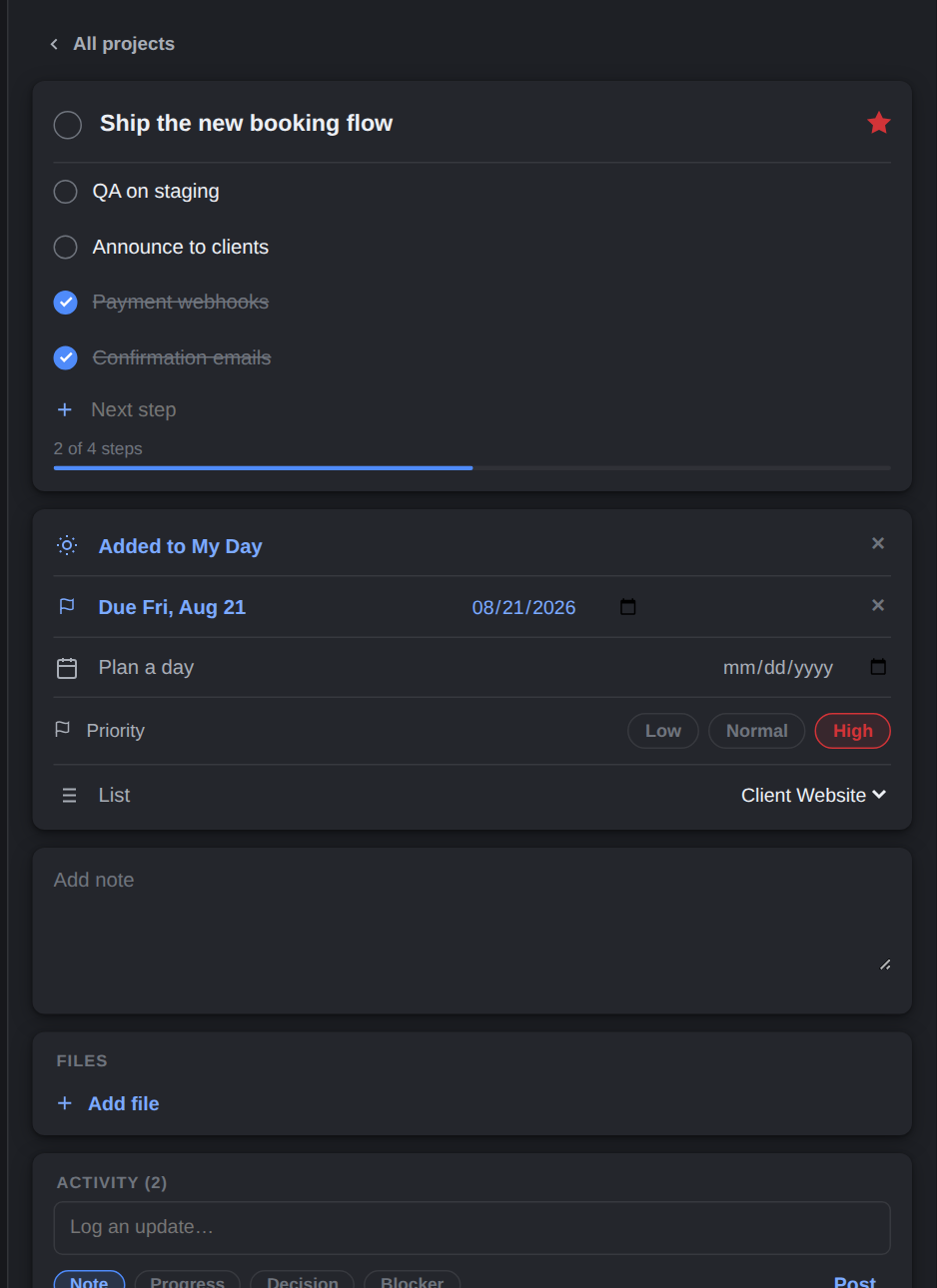
  • Break tasks into steps with a progress bar
  • Attach files, jot notes — autosaved
  • Organize into project lists that keep their history
Task detail pane with steps, dates and activity

Kick the tires. No account needed.

The full app, loaded with sample projects, running entirely in your browser.